A Simple Camera Viewer for Mac OS
June 26, 2026
Available now in the Mac App Store!
About the App
Gives you your webcam feed as a frameless floating window you can customize and place anywhere on the screen. Available for free in the Mac App Store
The idea being: let's say you're making a screen recording or you're in a conference call... with no heavy software, add-ins, or additional tools, you just simply run the app and get a clean heads-up display of yourself on the screen.
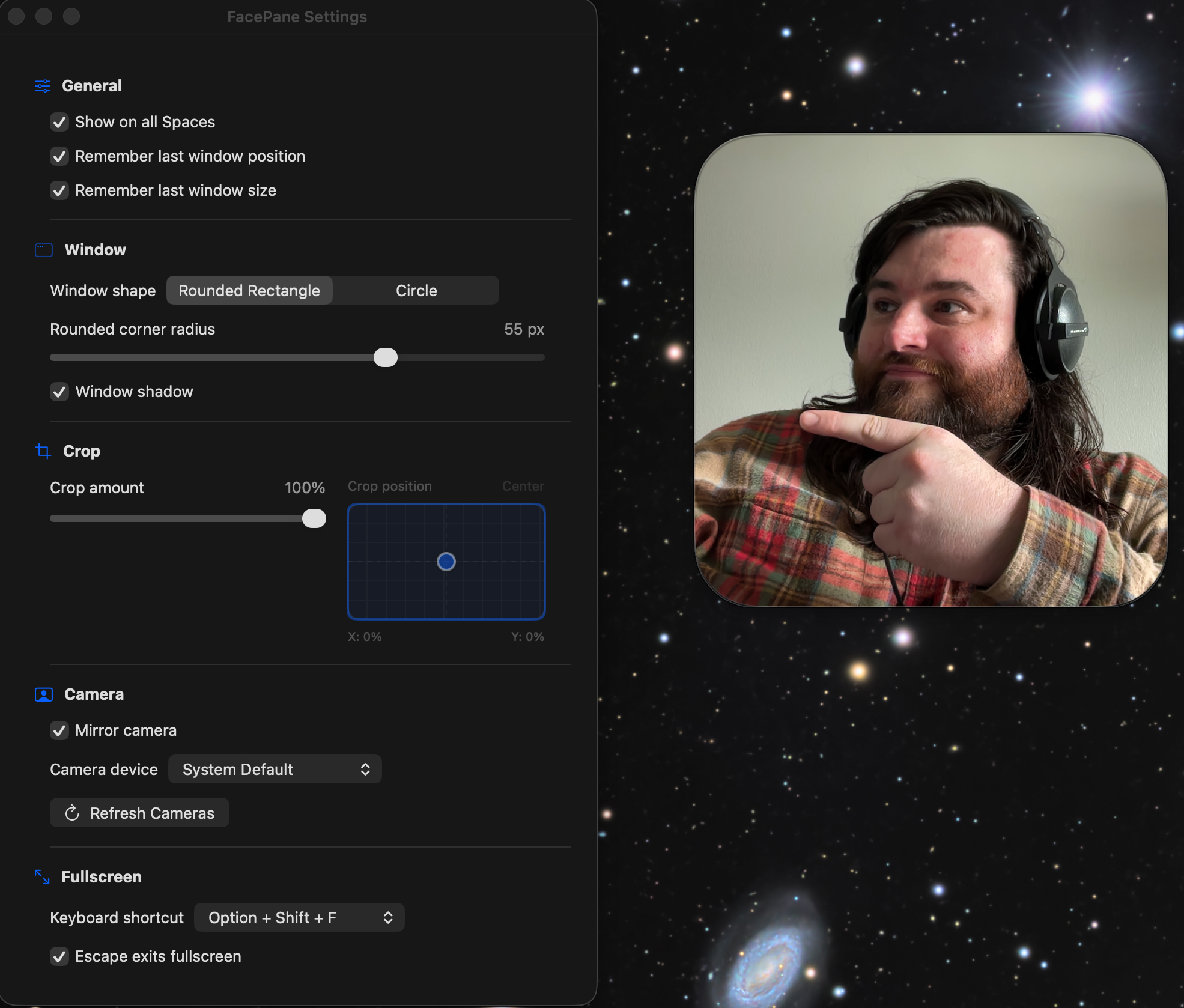
This particular solution isn't a platform; it doesn't try and sell you a dynamic cloud upload, it doesn't have opinions and editing tools, it does nothing more than a simple WindowPane with a little customization. It's intentionally lightweight and simple.
Really, it frees you up to use any conference calling tool and/or the native Screen Recording tool right out of the box by nature with no OBS, no CapCut, no iMovie & nothing complicated at all. Other solutions may exist... sure... but I wanted something fully placeable, resizable, adjustable, configurable, and lightweight... that I could double-click to full-screen at any time... so I rolled my own.
I've open sourced the code and put it on my GitHub.
A simple, free alternative for displaying your camera feed during screen shares and screen recordings.
What It Does
This is intended for making screencaps with the "Screen Recording" tool Apple provides.
Or use it for Face Time/Zoom/Teams/Slack/Discord calls where you want to share your screen but still keep your face visible.
Why I Created It
I wanted something very small and simple without the entire bloat of a full-blown studio like CapCut.
I also wanted a freely floating window I can use in any app that's resizable, customizable, and clean.
It's great for doing business and showing off your code!
Why I Open-Sourced It
Why not? It's a simple utility that took me less than a few hours to vibe-code with Codex and ChatGPT & it works perfectly.
Also, I don't have an Apple Developer subscription right this minute to deploy to the App Store...
So, I've decided just to share the code on my GitHub for anyone to use this as a portfolio piece.
Hope you enjoy!
Available soon in the Mac App Store (pending review)
How to Run The Code from GitHub
This is an XCode project. Install XCode, then you can simply clone the repo and open it in XCode and click "Run".
To Compile it as an App for your Applications Folder
- Set build destination to your Mac
- In Xcode’s top toolbar, make sure the run destination says something like: "My Mac" (not iPhone or simulator)
- Set signing for local use. You do not need paid Apple Developer Program for this.
- Click the project in the left sidebar:
- FacePane project → FacePane target → Signing & Capabilities
- Signing Certificate: Sign to Run Locally
- Or leave automatic signing enabled with your personal Apple ID team.
- Build Release mode
- Product → Scheme → Edit Scheme...
- Select Run on the left.
- Set: Build Configuration: Release
- Close the sheet.
- Then build: Product → Build (or: Cmd + B)
- Find the built app
- Product → Show Build Folder in Finder
- Navigate in Finder to Product -> Build -> Release
- You should see "FacePane.app"
- Copy this to Applications
- Copy it to Applications
- In Finder, copy: FacePane.app to: /Applications
Now you can open it like a normal app!